Restaurant website design that brings your place to life.

Let guests explore your menu, find the right location and plan their visit. Start with your existing website, then keep menus, photos and bookings current in Revamp.

Your current website stays live while you work on the redesign.

Help guests get from curiosity to a plan

Give your restaurant a website that captures its atmosphere and makes planning a visit easy. With Revamp, start from your current website and shape the design around your food, photography and brand. Refine it by chatting or editing visually, then add reservations, ordering or private-event enquiries.

Guests can explore the menu, choose a location and take the next step from the same website. Your team can keep it current as dishes, opening hours and events change, without sending every update to a web designer.

Give the menu a proper place on the website

Make dishes, prices and descriptions readable on a phone without making guests zoom into a photograph. Organize menus by meal, location or occasion where those differences matter.

Bring your current menu and ask Revamp to build a clear page from it. Your team can update seasonal dishes, prices and availability through chat or visual editing. Review dietary information with the people responsible for the food before publishing it.

Use your own food and atmosphere

Show the dishes and space guests will actually encounter. Upload your photos and give Revamp references for the design direction. Keep the brand recognizable while improving the layout.
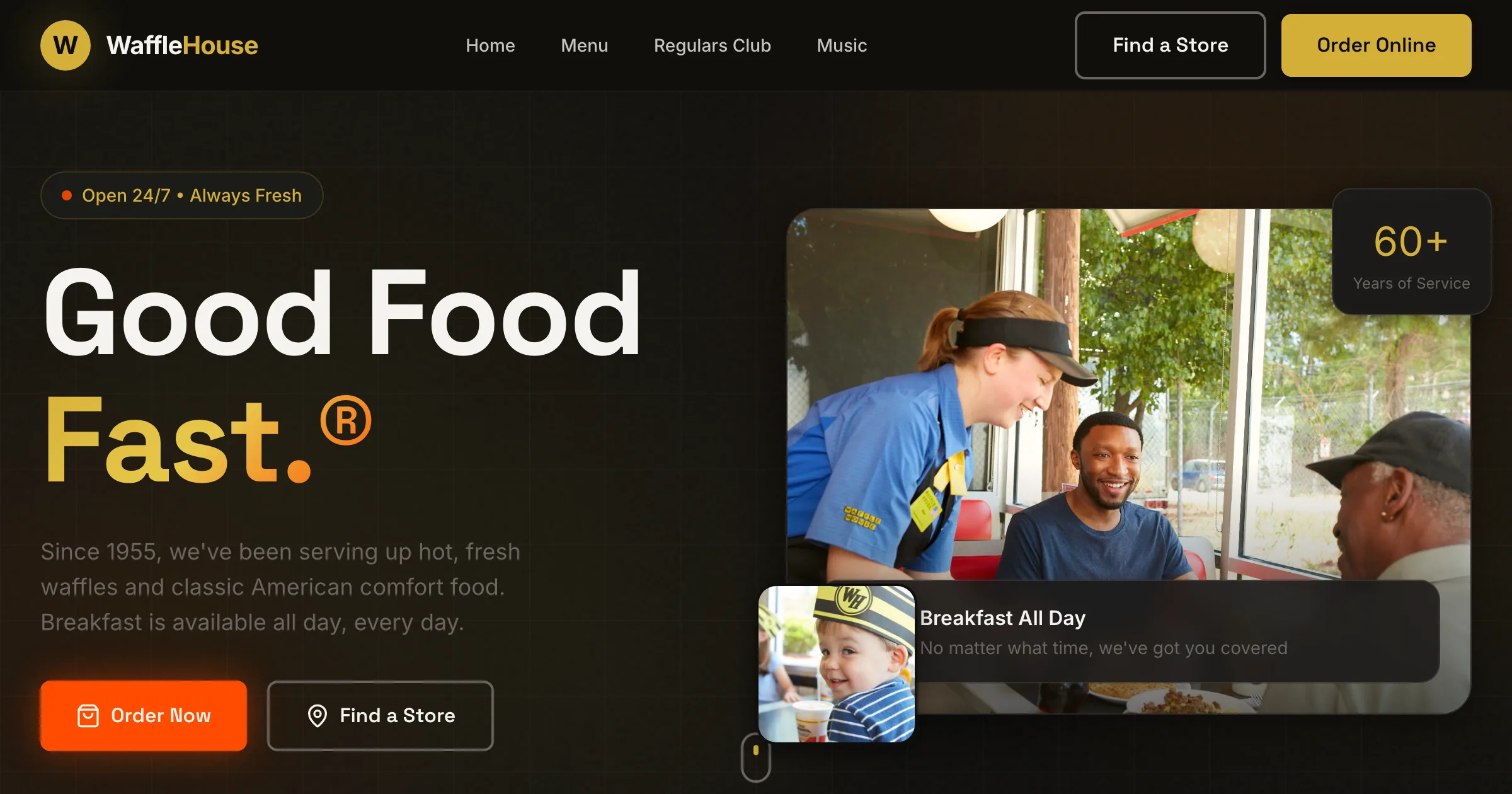
Waffle House website redesign created in Revamp

Explore the Waffle House redesign for a visual example. Your own restaurant can take a different direction, whether that means a neighborhood café, a lively dining room or a quieter fine-dining experience.

Make reservations, ordering and events distinct

Give guests the right route for the task. Booking a table, placing an order and asking about a private event should not all lead to an unexplained general contact form.

Keep the reservation or ordering service you already use where it fits. With Grow, you can also build new booking, payment and enquiry flows around your operation. Connect relevant tools and create a working area on your website for the requests your team handles.

Give each location the right details

For several restaurants, show the menu, opening hours, address and booking arrangements that apply to each one. Keep holiday hours and special service periods current.

Add useful pages for services you genuinely offer, such as private dining or catering. Explain capacity, the kind of occasion you accommodate and how someone enquires. This is more helpful than adding pages that only repeat the restaurant’s name and a different neighborhood.

Check the guest journey before you publish

Open the preview on a phone. Read the menu, find directions and follow the reservation or ordering route. Share it with a manager to check the details before changing your live domain.

After launch, continue reviewing changes in preview before publishing. Grow’s SEO tools and visitor analytics help you spot page issues and understand where visitors arrive from and what they view.

Starting a new restaurant without a website? Use the AI website builder. For the complete redesign workflow, see AI website redesign.


A better website.
Room to keep building.

Create and refine with Studio. Choose Grow for your own domain, business features, connections, SEO tools, visitor analytics and priority support.

Redesign & refine

Studio

Refine your redesign, share it, and export it when you’re ready.

$29/ month

USD · billed monthly

Explore your redesign

200 credits per month

Included in Studio

  • Make the design your own
  • Share a preview and get feedback
  • Download your website's code
  • Standard support

For the redesign itself.

To launch on your own domain, use SEO tools, and see your visitor analytics, choose Grow.

Your business, live

Grow

Launch your website. Run your business. Keep making it better.

$99/ month

USD · billed monthly

Start my redesign

700 credits per month, shared across your websites Priority support

Everything in Studio, plus:

  • Launch on your own domain

    Hosting and security are taken care of.

  • Bookings, payments, and customer areas

    Build the features your business needs, beyond a beautiful homepage.

  • Make changes on your schedule

    Add pages, launch offers, and keep improving simply by chatting.

  • Connect the tools you already use

    Bring in your data and connect your website to your everyday work.

  • Review SEO issues and fix them with AI

    Find SEO issues and fix them with AI. Search rankings are not guaranteed.

  • Understand your website’s traffic

    See which sources bring visitors to your website, where they land, and which pages they visit.

Connect with 1,400+ apps

  • HubSpot
  • Mailchimp
  • Google Calendar
  • Google Sheets
  • Stripe
  • Calendly

See your redesign before you choose.

Start with 30 one-time credits. No credit card required.

Compare all plan details

Your questions, answered.

Can I use menu information we already keep in a file or spreadsheet?

Yes. Import your menu information from a file or connected tool, then ask Revamp to organize it into pages. Add your food photography and refine the presentation through chat or visual editing. Your team can review prices and dish details before publishing.

Can Revamp turn our menu into a page that is easy to read on a phone?

Yes. Bring your menu information and ask for clear categories, descriptions and prices. Your team can review the wording and keep dishes and availability up to date.

Can I keep our existing reservation or ordering service?

Yes. Keep a clear link to the service you use, or set up an appropriate supported connection. Review the full guest journey before publishing the new website.

Can different restaurants have different menus and hours?

Yes. Create a page for each location with its own menu, hours, directions and reservation or ordering route.

Can I add private dining and event enquiries?

Yes. Create a dedicated page and enquiry flow for group size, preferred date and event details. Your team can manage those requests through a working area on your website.

Choose your next step.

See what your website could become.

Start with your URL. Make the next version yours.

Redesign my website



